

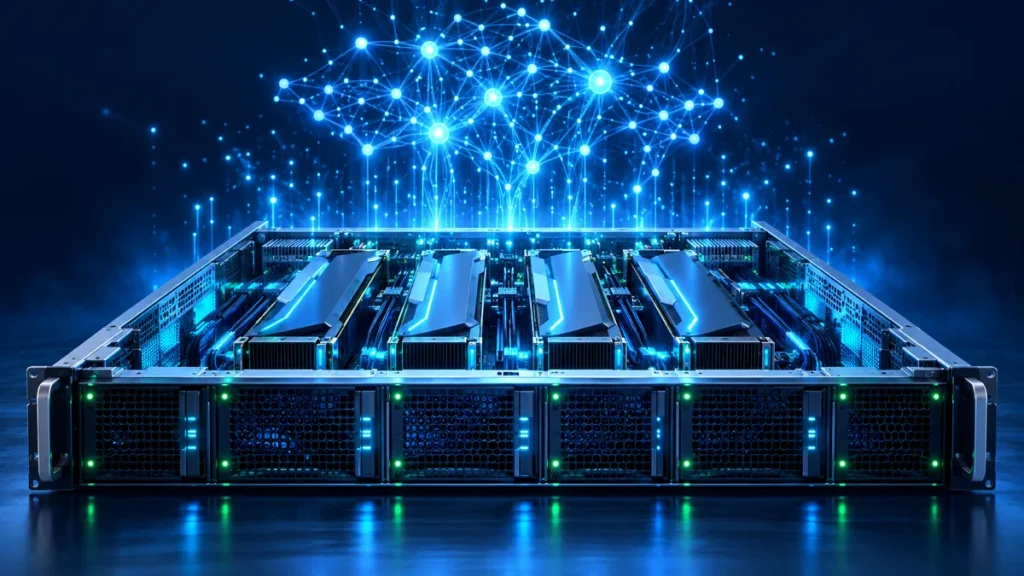
What is a GPU server? The question has quickly moved up the agenda for teams that want to train AI models, analyze large datasets or cut 3D rendering times. A GPU server is a high-performance server equipped with one or more graphics processing units (GPUs) that can run thousands of operations at the same time. While conventional servers rely on processor (CPU) power, a GPU-equipped server delivers results far faster for workloads that require parallel computing.
This guide explains in plain terms how a GPU server works, when it is genuinely needed, how it differs from a CPU server, and how to decide between buying and renting. Businesses usually have clear expectations: choose the right capacity, avoid investing in idle hardware and keep control over where data is processed. Selection criteria and common mistakes are covered later in the article.
How Much GPU Capacity Does Your Project Need?
Share your workload, model size and data volume, and the MAV Cloud team will work with you to define the right GPU server configuration.
What is a GPU server and how does it work?
From a technical standpoint, the answer lies in processor architecture. A CPU is designed to execute complex, sequential tasks quickly using a small number of powerful cores. A GPU, by contrast, runs a large number of simpler cores simultaneously, performing the same type of operation in parallel. Calculations repeated thousands of times, such as matrix multiplication, pixel computation and vector operations, are a natural fit for this architecture.
On the software side, the most common way to tap into this parallelism is NVIDIA’s CUDA platform. NVIDIA’s CUDA Programming Guide describes CUDA as a parallel computing platform and programming model that makes it possible to use the GPU’s computing power for general-purpose tasks. AI libraries such as PyTorch and TensorFlow, as well as many render engines, access GPU acceleration through this layer.
The core components of a GPU server are:
- GPU and VRAM: The memory on the GPU (VRAM) determines how much of the model and data can be processed at once.
- CPU and system memory: This layer prepares data, feeds it to the GPU and manages the workflow; if it is underpowered, the GPU sits waiting.
- PCIe and GPU-to-GPU interconnect: Bus bandwidth directly affects performance, especially in multi-GPU setups.
- Fast storage: NVMe drives and high-speed network-attached storage ensure training data reaches the GPU without delay.
- Power and cooling: GPUs draw a lot of power and require data center-grade power and cooling infrastructure.
What is a GPU server used for?
The practical answer shows up in the use cases. Not every workload benefits from a GPU; the gain depends on whether the work can be parallelized.
AI model training
Training deep learning models involves matrix calculations repeated over and over across millions of parameters. On an AI server, this workload finishes far faster than on a CPU. In training, VRAM capacity and the interconnect speed between multiple GPUs are decisive.
Inference
When a trained model answers questions, classifies images or generates text in production, that is called inference. For inference, latency, the number of concurrent requests and cost efficiency matter more than raw power.
Rendering and visual processing
In architectural visualization, animation and video encoding, GPU-accelerated render engines can process in parallel on the server frames that would take hours on a single workstation.
Data analytics and scientific computing
Filtering, simulation and statistical modeling on large datasets can also benefit from GPU acceleration. NVIDIA’s data center solutions page lists workloads such as AI inference, data science and high-performance computing as the platform’s main use cases.
CPU server vs. GPU server: common practice and the right approach
Two opposite mistakes are common in practice. Some teams run parallel workloads on CPU servers for too long and lose weeks. Others invest in GPU capacity just to host a web application or database, leaving most of the hardware idle.
The right approach is to profile the workload first. The decision comes after you know how much of the code can be parallelized, whether your library supports GPUs and how large the data is. For workloads such as web, email, ERP and file servers, a cloud server is usually enough; for model training and rendering, a GPU server makes a clear difference.
These practical questions make the decision easier:
- Does the software or library you use support GPU acceleration?
- Is the workload continuous, or project-based and periodic?
- Does the model or scene fit within the VRAM of a single GPU?
- Where should the data be stored, and who should have access?
Key criteria when choosing a GPU server
Once you know what a GPU server is, the real work is defining the right configuration. At MAV Cloud, GPU capacity is configured around project requirements rather than offered as off-the-shelf packages. The table below summarizes the criteria most often used in the evaluation:
| Criterion | Why it matters | Question to ask |
|---|---|---|
| VRAM capacity | The model and data batch must fit in GPU memory | How many GB of memory does your largest model or scene need? |
| Number of GPUs and interconnect | In multi-GPU setups, data exchange speed determines performance | Can the workload be split across multiple GPUs? |
| CPU and RAM balance | If data preparation is slow, the GPU sits idle | How heavy are the preprocessing steps? |
| Storage | Training data and model outputs need fast access | How large is the dataset, and where will it be archived? |
| Network connectivity | Plays a critical role in data uploads and distributed training | Where will data come from, and how often will it be transferred? |
| Data location | Decisive for KVKK (Türkiye’s Personal Data Protection Law) and corporate policy | Does the data need to be processed in Türkiye? |
Training data and model outputs usually need more space than a GPU server’s local disk provides. Here, S3-compatible object storage provides a complementary layer for storing datasets and model versions in a scalable way.
Let’s Measure Your Workload Before You Buy
The rent-or-buy question gets easier once the duration and intensity of your workload are clear. A short initial call is enough to identify the right model.
Buying vs. GPU server rental
For budget planning, how you acquire the capacity matters as much as the capacity itself. GPU hardware requires a significant investment, and the technology evolves quickly. Buying brings not only the hardware cost but also power, cooling, rack space, spare parts and maintenance. Without an in-house team to manage this infrastructure, the hardware can quickly become inefficient.
With GPU server rental, capacity is kept ready in data center infrastructure and resized as your needs change. The key differences between the models are:
- Buying: Can make sense for long-term, consistently high utilization; however, the upfront investment, energy costs and hardware refresh risk stay with your organization.
- Renting: Eliminates upfront investment and adds flexibility for project-based workloads; the infrastructure is managed by the provider.
- Cloud GPU (shared virtual resources): Practical for short-term trials; for long-term heavy use, performance consistency and cost should be monitored closely.
- Dedicated GPU server: The hardware is reserved for a single organization; performance is predictable and data isolation is high.
For continuously running training and inference workloads, the dedicated server model, where physical resources are reserved for a single organization, often delivers more predictable performance.
Setting up a GPU server step by step
Going from evaluation to production goes more smoothly, with fewer surprises, when you follow a planned process. The general flow is:
- Needs analysis: Define the workload type (training, inference, rendering), model or scene size, data volume and usage period.
- Configuration: Size the number of GPUs, VRAM, CPU, RAM, storage and network components to the workload.
- Software layer: Install the operating system, GPU drivers, CUDA tools and required libraries with version compatibility in mind.
- Data transfer and testing: Measure performance with sample data and resolve any bottlenecks (disk, CPU, network).
- Monitoring and support: Monitor GPU utilization, temperature and resource consumption, and adjust capacity as needed.
Common mistakes and the right approach
In GPU projects, most lost time and money comes from gaps in planning, not from the hardware itself. Common mistakes and how to avoid them:
- Focusing only on the GPU: A slow disk or weak CPU will stall even the most powerful GPU. The right approach is to size the system as a whole.
- Underestimating VRAM needs: If the model does not fit in memory, training either will not start or slows down dramatically. Run a preliminary measurement with test data.
- Ignoring driver and library compatibility: If the CUDA version and framework version are incompatible, the GPU may not be used at all.
- Thinking about data location too late: Where datasets containing personal data are processed should be planned from the start.
- Neglecting backups: Model files produced by days of training should be stored with versioning on a separate storage layer.
GPU servers, data residency in Türkiye and KVKK
Datasets used in AI projects often contain personal data such as customer records, images or voice recordings. Processing this data on infrastructure abroad may require additional assessment under Law No. 6698. Current regulations are available on the Turkish Personal Data Protection Authority website; this information is general in nature and does not constitute legal advice.
MAV Cloud’s GPU infrastructure is located in an Equinix data center in Türkiye. Keeping datasets and models in the country simplifies compliance processes and reduces latency for large data transfers.
Reliability and continuity on MAV Cloud GPU infrastructure
For GPU workloads that consume a lot of power and must run uninterrupted for long periods, infrastructure quality is critical. MAV Cloud operates with Equinix data center infrastructure, 24/7 system monitoring and expert support. The SLA defines a 99.9% monthly availability target and a 15-minute first-response target for critical incidents.
Service processes are run in line with ISO/IEC 27001 information security, ISO 22301 business continuity and ISO/IEC 20000 service management standards. GPU configuration options and process details are available on the GPU server service page.
Frequently Asked Questions
What is a GPU server, and how is it different from a regular server?
A GPU server is a server equipped with graphics processing units and optimized for parallel computing. Regular servers rely on CPU power, while a GPU server runs thousands of operations at once to accelerate workloads such as AI and rendering.
Do AI projects require a GPU server?
For training deep learning models, in practice, yes; inference for small models can sometimes run on a CPU. The decision depends on model size, request volume and expected response time.
What is VRAM, and how much do I need?
VRAM is the memory on the GPU, where the model, data and intermediate calculations are held. The amount required depends on model size, batch size and the precision used; a preliminary measurement with test data is the most reliable method.
What is CUDA?
CUDA is NVIDIA’s parallel computing platform that makes it possible to use the computing power of GPUs for general-purpose tasks. Popular AI libraries access GPU acceleration through CUDA.
Is it better to rent or buy a GPU server?
For project-based or variable workloads, renting provides flexibility and a low upfront investment. For long-term, consistently high utilization, buying may be worth considering, but energy, cooling and maintenance costs must also be factored in.
Can a GPU server be used for rendering?
Yes. GPU-accelerated render engines compute frames in parallel and can significantly shorten render times compared with a workstation.
Which GPU configurations does MAV Cloud offer?
GPU capacity is configured around project requirements rather than offered as off-the-shelf packages. Once you share your workload, data volume and usage period, the right configuration is defined during the quotation process.
Is data processed in Türkiye?
MAV Cloud infrastructure is located in an Equinix data center in Türkiye. This setup provides a suitable foundation for projects that require datasets containing personal data to be processed in the country.
Free Initial Assessment for Your AI or Rendering Project
We review your current workload and data structure and prepare a concrete recommendation for GPU requirements, the storage layer and data location.
For teams just starting to ask what a GPU server is, the first step is to check whether their current workload supports GPU acceleration. Organizations torn between renting and buying can start by clarifying usage duration and intensity. Teams ready to launch a project can request a free initial assessment to reach the right configuration quickly.