

Microsoft 365 Backup
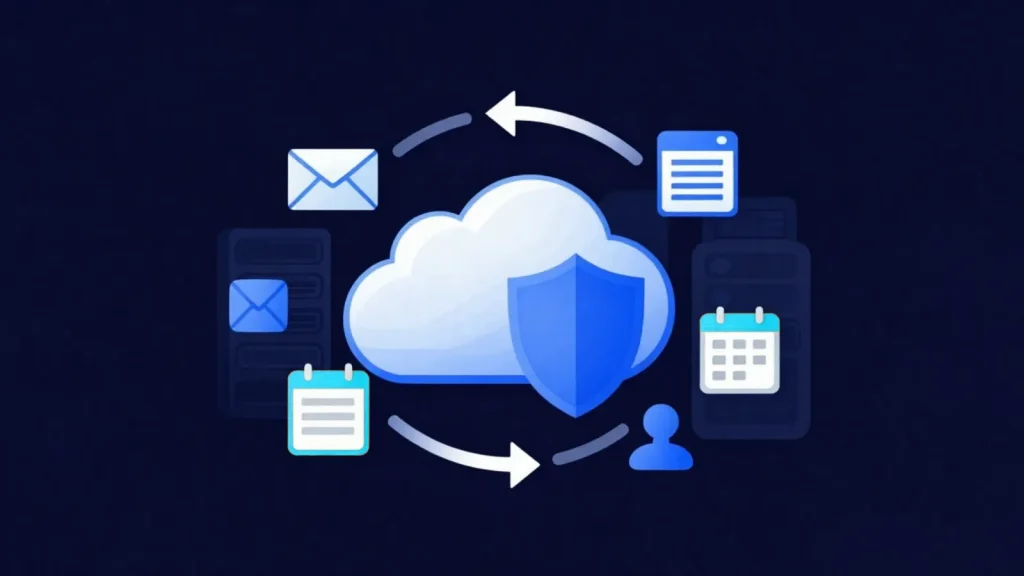
Although the Microsoft 365 platform offers high availability, Microsoft is not responsible for the long-term backup of your data. Accidentally deleted emails, user errors, ransomware attacks, malicious actions or account takeovers can put your critical data at risk of permanent loss. The MAV Cloud Microsoft 365 Backup service eliminates these risks by using Veeam Backup for Microsoft 365 technology to protect your Exchange Online, OneDrive, SharePoint Online and Microsoft Teams data.
- Equinix Istanbul data center
- VMware-based infrastructure
- Veeam-based backup
- 99.9% availability target
- 15-min critical response target
- ISO 27001 · 22301 · 9001
Our Microsoft 365 Backup service
Backups run fully automatically and are protected on our secure cloud infrastructure in line with the retention policies you define. Whether it is a single email, a deleted folder or an entire user account, you can restore it within minutes.
Our Microsoft 365 Backup solution provides user-independent data protection. You always have access to secure historical backups for unlicensed users, departed employees or accidentally deleted data.
Built to enterprise security standards, our infrastructure keeps your company data continuously protected with encrypted data transfer, secure storage and detailed reporting.
Get a custom quote
Tell us what you need, and our expert team will get back to you as soon as possible.
- Phone+90 532 054 49 14
- Emailinfo@mavcloud.com.tr
Why MAV Cloud Microsoft 365 Backup?
- Veeam Backup for Microsoft 365
- Exchange Online backup
- Microsoft Teams backup
- SharePoint Online backup
- OneDrive for Business backup
- Per-user or bulk restore
- Restore down to a single email or file
- Automated backup policies
- Secure cloud storage
- 24/7 expert technical support
The shared responsibility model: what Microsoft protects and what it doesn’t
Microsoft 365 operates on a shared responsibility model. Microsoft is responsible for the data centers, hardware, service availability and platform-level replication. The data itself (who deleted what, how long each record is kept and how a mistaken action is reversed) is the organization’s responsibility. Replication within the platform also mirrors a deletion or encryption to every copy instantly; in other words, replication is no substitute for backup.
| Area | Microsoft’s side | Your organization’s side |
|---|---|---|
| Infrastructure and availability | Data center, hardware, service continuity | — |
| User error | Deleted email kept 14 days by default (30 days max); SharePoint and OneDrive recycle bin 93 days | Independent copy with retention set by your organization |
| Malicious deletion and ransomware | In-platform tools | Clean backup stored outside the platform |
| Departing employee data | Limited period after the license is removed | Indefinite or policy-based retention |
These limits come from Microsoft’s own documentation: permanently deleted items in Exchange Online are kept for 14 days by default, up to a maximum of 30 days, and items deleted in SharePoint leave the recycle bin after 93 days. The Microsoft Services Agreement also advises having a regular backup plan, noting that content cannot be retrieved once an account is closed. A deletion or ransomware encryption discovered after 30 days can only be reversed from a backup kept outside the tenant.
How are Exchange, OneDrive, SharePoint and Teams data backed up?
Microsoft 365 backup handles each workload’s data according to its own structure:
- Exchange Online: mailboxes, archive mailboxes, calendars, contacts and shared mailboxes. Microsoft 365 email backup lets you go back to an earlier version of a single message.
- OneDrive for Business: user files and folder structure, including versions.
- SharePoint Online: site collections, document libraries, lists and permissions.
- Microsoft Teams: channels, channel posts and team settings. Because files shared in Teams are stored in SharePoint and OneDrive behind the scenes, these workloads are backed up together.
The recycle bin and retention policies are limited in time and run within the same tenant; a tenant-level admin error or account compromise can affect these layers as well. Backups taken with Veeam Backup for Microsoft 365 are stored outside the tenant, on separate infrastructure.
Flexibility during restore matters too. An email can be restored to the original mailbox, to a different user or to an exported file; a SharePoint document can be written back to the same library as an earlier version. For legal reviews or internal audits, you can search the backup by date, sender or keyword and find the relevant records without touching production. Because backup frequency and retention can be defined separately for each workload, you can apply, for example, a long policy to mailboxes and a shorter one to temporary project sites. Backup job status is reported, and failed or skipped users are caught during monitoring.
Common Microsoft 365 backup mistakes
- Treating retention policies as backup: a retention policy keeps data in the same environment; it does not provide an independent copy against tenant-level issues.
- Removing a departing employee’s license without a backup: mailbox and OneDrive data are permanently deleted after a set period.
- Backing up email only: collaboration files in Teams and SharePoint are left out.
- Not setting retention periods based on regulations: KVKK (Türkiye’s Personal Data Protection Law) and sector regulations affect which data is kept and for how long; KVKK and security consulting support is available for this.
If server and database data need a separate setup, they can be brought under the same backup strategy with our cloud backup service.
Who is Microsoft 365 Backup for?
- Every business that uses Microsoft 365
- Organizations that need to retain departed employees' emails and files
- Teams that want to recover accidentally deleted data quickly
- Organizations with legal or audit retention requirements
Frequently asked questions about Microsoft 365 Backup
Doesn’t Microsoft 365 already back up my data?
Microsoft is responsible for keeping the platform up and running, not for the long-term backup of your data. Under the shared responsibility model, protecting deleted or ransomware-affected data is the customer’s responsibility.
What data is backed up?
Exchange Online email, OneDrive files, SharePoint sites and Teams data can all be backed up.
Can I restore a single email?
Yes. Granular recovery is available, from a single email up to an entire mailbox.
Why isn’t the Microsoft 365 recycle bin enough?
The recycle bin works for a limited time and sits within the same tenant. If a deletion is noticed after that period, or in the event of a tenant-level attack, the option to recover may be gone.
Where are Microsoft 365 backups stored?
Backups are stored encrypted outside your Microsoft 365 tenant, on MAV Cloud’s infrastructure in Türkiye.
Can Teams chats and files be restored together?
Channel posts are restored from the Teams backup, and files shared in channels from the SharePoint backup. When both are planned in the same backup job, team data is protected as a whole.
Our other Backup & Disaster Recovery services
 Cloud BackupYour corporate data is one of your business's most valuable assets. Hardware failures, user errors, cyberattacks, ransomware, or natural disasters…Learn more
 Immutable BackupIn recent years, backup systems have become attackers' first target in ransomware attacks. When backups are deleted or encrypted, businesses lose much of their…Learn more
 Disaster Recovery (DRaaS)Backups alone are not always enough for business continuity. If your critical systems stay down for hours, you can suffer serious financial losses. MAV…Learn more
 Data ReplicationBackups alone are not enough for business continuity. When hardware failures, data center outages or cyberattacks hit critical systems…Learn more