

GPU Server Rental
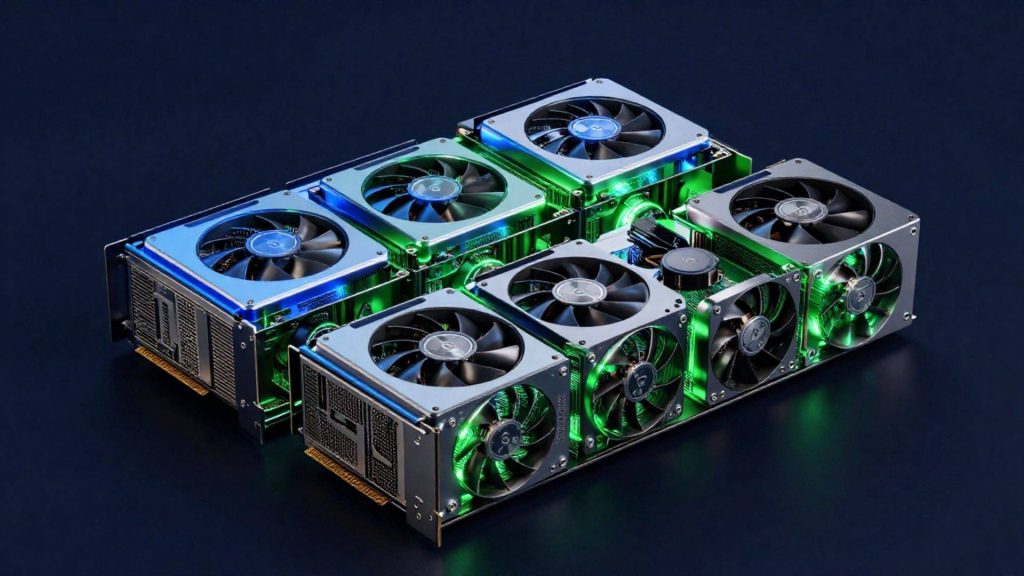
If your AI, machine learning, deep learning and high-performance computing projects need powerful GPU infrastructure, MAV Cloud GPU Server Rental delivers enterprise-grade performance. With our professional NVIDIA-based GPU servers, you can launch compute-intensive projects within minutes, without the cost of purchasing hardware.
- Equinix Istanbul data center
- VMware-based infrastructure
- Veeam-based backup
- 99.9% availability target
- 15-min critical response target
- ISO 27001 · 22301 · 9001
Our GPU Server service
Our GPU servers are optimized for AI (Artificial Intelligence), Machine Learning (ML), Deep Learning, Large Language Models (LLMs), Generative AI, image processing, video rendering, data analytics, simulation, CAD/CAM, scientific computing and high-performance computing (HPC) workloads.
We maximize your GPU performance with high-core-count processors, enterprise NVMe SSD storage, high-capacity ECC RAM and low-latency networking. Our infrastructure is fully compatible with modern software platforms such as CUDA, TensorFlow, PyTorch, Docker, Kubernetes and VMware, so you can get your projects up and running quickly.
We offer server options that scale from a single GPU to multi-GPU configurations, depending on your needs. As your project grows, you can easily add GPU, CPU, RAM and storage resources and expand your infrastructure without downtime.
All of our GPU servers are hosted in secure data centers and monitored 24/7. Optionally, we provide end-to-end infrastructure support for your enterprise projects with managed services, backup, security, Disaster Recovery and custom networking solutions.
Get a custom quote
Tell us what you need, and our expert team will get back to you as soon as possible.
- Phone+90 532 054 49 14
- Emailinfo@mavcloud.com.tr
Why MAV Cloud GPU Servers?
- High-performance NVIDIA GPU infrastructure
- Hardware optimized for AI and LLM projects
- CUDA, TensorFlow, and PyTorch support
- Maximum read/write performance with NVMe SSDs
- High-capacity ECC RAM options
- Windows and Linux operating system support
- VMware- and Docker-compatible infrastructure
- Flexible GPU, CPU, and RAM scaling
- Secure data center infrastructure
- 24/7 expert technical support
GPU Server Use Cases
- Artificial Intelligence (AI)
- Machine Learning
- Deep Learning
- Large Language Model (LLM) Training
- Generative AI
- Chatbot and AI Agent Development
- Image Processing and Computer Vision
- Video Rendering and 3D Animation
- CAD / CAM Applications
- Scientific Computing (HPC)
- Big Data Analytics
- Simulation and Engineering Software
Renting vs. buying a GPU server
The first decision in GPU infrastructure is whether to buy the hardware or rent it. Both approaches make sense in the right situation; what decides it is how long the workload will run, how intensively the hardware will be used, and whether your team has the capacity to operate the hardware itself.
| Criterion | Renting a GPU server | Buying a GPU server |
|---|---|---|
| Upfront investment | Low, periodic payments | High, full hardware cost upfront |
| Hardware obsolescence | The provider’s responsibility | Your organization’s responsibility |
| Power and cooling | Included in the data center infrastructure | Must be planned separately; GPUs draw a lot of power |
| End of project | Resources can be scaled down or shut off | Risk of idle hardware |
| Best fit | Pilot projects, variable or seasonal workloads | Continuous, fully utilized use over several years |
How a GPU differs from a CPU, and which workloads it excels at, is covered in detail in our guide What is a GPU server?
Looking only at the hardware price can be misleading. For a purchased GPU server, you also need to account for power, cooling, spare parts, driver and firmware updates, and the staff who will respond when something fails. If the project is still in the exploration phase and it is not yet clear at what scale the model will go into production, starting with a rental and making a long-term decision once your usage profile is clear reduces risk. For projects where corporate data should not be sent to a platform outside the country, rented GPU infrastructure hosted in Türkiye is an additional reason to choose this route.
Service assurance: Support for GPU servers follows the priority levels in our service level agreement; for a critical failure that stops a training or rendering job, the first-response target is 15 minutes. The infrastructure where model and training data are processed is managed under an ISO/IEC 27001 certified information security management system (see our certifications).
To see the GPU memory a model needs before requesting a quote, use the GPU VRAM calculator; it shows the requirement by model, precision and concurrent users, which speeds up choosing the card class and count.
The right configuration for model training and inference
Even within the same project, the training and inference phases need different resources. For training, what matters most is GPU memory (VRAM), the number of GPUs and GPU-to-GPU communication; large models are trained by splitting them across multiple GPUs. For inference, per-request latency and the number of concurrent users take priority; a smaller configuration that runs continuously is often enough.
Getting full efficiency out of a GPU also depends on the components around it. A disk that cannot read the dataset fast enough, or insufficient system memory, leaves expensive GPU capacity sitting idle. On the software side, compatible driver, CUDA and framework (PyTorch, TensorFlow) versions are critical for performance and stability; defining this environment with container images keeps development and production consistent. A common architecture pairs the GPU server with S3-compatible object storage for large datasets and model checkpoints.
What drives GPU server pricing
- GPU class and memory capacity: the model and the data batch need to fit in VRAM.
- Number of GPUs: a single-GPU development environment and a multi-GPU training cluster are on very different scales.
- CPU, RAM and NVMe storage: these determine how fast data is prepared and loaded.
- Duration of use: a short-term project and long-term steady use are planned differently.
- Management and backup scope: environment setup, monitoring and protection of model and data backups.
- Network and access: how the dataset is transferred to the server, private access over VPN, and security rules for externally exposed inference services.
Sharing the model family, approximate parameter size, dataset volume and target training or response time before requesting a quote helps avoid choosing a configuration that is larger or smaller than you need. Taking measurements on a single GPU during the pilot and scaling up based on the results is a more controlled path, especially for teams running their first AI project.
| GPU | Monthly starting price |
|---|---|
| NVIDIA RTX 5090 | From TRY 35,000 |
| NVIDIA L40S | From TRY 39,000 |
| NVIDIA H200 | From TRY 179,000 |
| NVIDIA B200 | From TRY 289,000 |
Prices vary with CPU, RAM, disk, traffic, power consumption and requested add-on services; card availability and delivery time are confirmed at the quote stage.
AI server rental: matching the GPU class to the workload
A GPU server is a server with one or more graphics processors that run thousands of operations in parallel, which is why it is used for AI, rendering and simulation. For AI server rental, the right card depends less on the model’s popularity and more on how much memory the job needs and whether it runs as a one-off training job or as a service that answers users all day.
Three AI workload types tend to come up in practice. Fine-tuning adapts an existing open model to company documents or a specific task; memory needs grow with parameter count and precision, and parameter-efficient methods can bring the job down to a single card. Inference and model serving covers chatbots, document search and classification APIs; concurrent users, context length and response time set the limits, and because the server runs continuously, steady cost matters more than peak speed. Training from scratch is rare outside research teams and needs multiple data-center GPUs with large memory and fast GPU-to-GPU links.
In the MAV Cloud range, workstation-class cards such as the RTX 5090 suit development, smaller models and pilots; the L40S is a data-center card that handles both inference and graphics work; H200 and B200 are aimed at large models whose weights and batches need high-bandwidth memory. As a reference point, monthly pricing starts from TRY 35,000 for an RTX 5090 configuration. Model size and user count decide the class, not the card name.
GPU servers for rendering: 3D, animation and video
A GPU render server shortens frame and scene render times by moving work from the CPU to GPU-accelerated render engines. Using a GPU server for rendering makes most sense when render queues block artists, or when deadlines create short peaks that do not justify buying hardware.
For rendering, the checks are different from AI work. The full scene, textures and geometry must fit into the card’s memory; if they do not, some engines fall back to slower modes or fail the job. Render engine and plugin compatibility with the driver version should be confirmed before a project starts, and licensing for render nodes is checked with the software vendor. Video work adds hardware encoding and fast storage for large source files to the list. Because project files are often hundreds of gigabytes, the upload method, the storage tier next to the GPU and the way finished frames are returned also need planning.
Renting a dedicated GPU server: what to check
When you rent a dedicated GPU server, the card model is only one line of the specification. A short checklist avoids most surprises in GPU server rental:
- Dedicated vs shared: whether the GPU is assigned to a single customer or sliced between several.
- Surrounding hardware: CPU cores, system RAM and NVMe capacity sized so the GPU is not left waiting for data.
- Software stack: operating system, driver, CUDA and framework versions, and who maintains them.
- Data location and access: where training data and model files are stored, VPN or private access, and firewall rules for public inference endpoints.
- Support terms: first-response targets in the service agreement; at MAV Cloud these are 15 minutes for critical, 1 hour for high, 4 hours for medium and 1 business day for low priority.
- Availability: card availability and delivery time are confirmed at the quote stage, so timelines should be agreed before a project date is fixed.
To estimate the VRAM a model needs before choosing a card, use the GPU VRAM calculator; the background on GPU architecture is covered in what is a GPU server.
Who are GPU Servers for?
- AI model training and inference
- Machine learning and data science teams
- 3D rendering, video processing, and animation
- Scientific computing and simulation projects
Frequently asked questions about GPU Servers
Why do I need a GPU server?
Workloads such as AI, deep learning, and rendering require thousands of parallel operations. GPUs handle these operations far faster than CPUs, significantly reducing training and processing times.
Can I start with a single GPU and scale up?
Yes. You can start with a single GPU based on your needs and move to multi-GPU configurations as your project grows.
Which software is supported?
CUDA-based frameworks (PyTorch, TensorFlow, etc.) and popular rendering software can run on GPU servers. Our team helps you set up your environment.
Do models and data trained on the GPU server stay in Türkiye?
Yes. GPU servers run on data center infrastructure in Türkiye; training data and model files can be processed without being transferred abroad.
Can the same GPU server be used for training and inference?
Yes, for small and mid-sized projects. As load grows, separating training and inference environments keeps the live service from being affected by training jobs.
Related guides
Our other cloud solutions
 Cloud Server RentalGet the processing power, RAM and storage your business needs without the high cost of hardware. MAV Cloud Server Rental delivers high…Learn more
 Dedicated Server RentalChoose our Dedicated Server Rental service for high performance, maximum security and hardware resources that are entirely yours. MAV Cloud provides CPU, RAM and…Learn more
 Colocation / Rack RentalColocation in Istanbul: host your own servers in a secure, high-performance Equinix data center with redundant power and 24/7 monitoring. Get a quote.Learn more
 S3 Object StorageStore your data on S3 Object Storage infrastructure that is secure, scalable, and highly available. MAV Cloud S3 Storage provides applications, backup…Learn more
 CCTV CloudWith our CCTV Cloud service, store your security camera recordings on secure cloud infrastructure without depending on physical recording devices. MAV Cloud, camera…Learn more
 Cloud Migration ServicesCloud migration services in Turkey: move physical servers, virtual machines and data to the cloud securely, with careful planning and minimal downtime.Learn more