

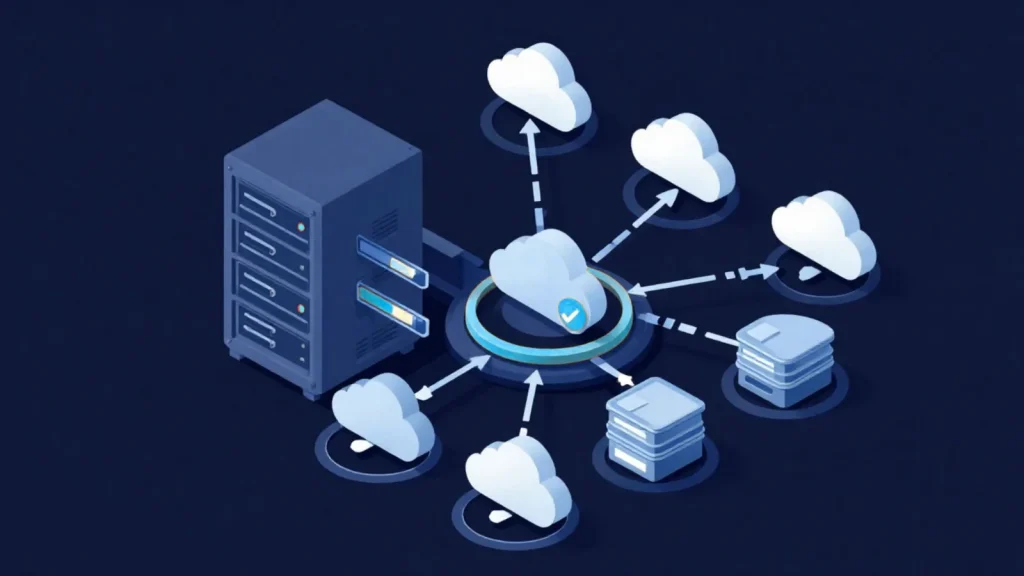
A server backup is a copy of a server’s operating system, applications and data kept in a separate location, so the server can be brought back when something goes wrong. The real measure of a backup is not whether the job finished, but whether the server can be restored within the agreed time. After a disk failure, an accidental deletion, a faulty update or a ransomware attack, what keeps a business running is a tested restore plan.
This guide explains how to back up a server: the backup types, what to look for in backup software, how to plan retention and the order in which to implement it. The goal is to help IT teams turn “we have backups” into “we can return to this point within this many hours”.
Will Your Current Backups Actually Restore?
Share your server count, data volume and current backup method, and the MAV Cloud team will list the gaps and a suitable backup model in writing.
What is a server backup and what does it protect?
A server backup stores a point-in-time copy of data and systems somewhere independent of production. If the scope is limited to files, a failed server means reinstalling the operating system, application settings and licensing from scratch. That is why critical servers get an image backup that covers the whole system in addition to file-level backups.
A backup plan should protect these layers:
- Data: File shares, databases, email and application data.
- System: Operating system, drivers, roles and service configuration.
- Application consistency: Databases and ERP systems captured in a consistent state.
- Identity and access: Active Directory, certificates and administrator accounts.
Backup and replication should not be confused. Replication keeps a current copy on a second system, so a deleted or encrypted file is copied across just as quickly. Backup provides restore points that go back in time.
How to back up a server: backup types
A server is backed up with a chain made of a full backup followed by incremental backups. The first run copies the whole system; later runs copy only the blocks that changed. This keeps both storage use and the backup window small.
| Backup type | What is copied | Advantage | Watch out for |
|---|---|---|---|
| Full | All selected data | Restores from a single file | Slowest and largest |
| Incremental | Changes since the last backup | Fast and compact | Restore needs the whole chain |
| Differential | Changes since the last full backup | Restore needs two parts | Grows larger each day |
| Image (system) | The entire disk or virtual machine | Server returns as a whole | File-level restore needs extra features |
In virtualized environments, backup software usually works at the virtual machine level with changed block tracking. Veeam’s official documentation describes the “forever forward incremental” and “forward incremental” methods for backup chains and marks the older “reverse incremental” method as deprecated (Veeam Help Center).
What to look for in server backup software
Good server backup software captures your systems in an application-consistent way and makes restore testing easy. Before comparing product names, write down the requirements: which hypervisor, which operating systems, which databases and which target storage.
- Application-consistent backups: SQL Server, Exchange or ERP databases captured consistently.
- Flexible restore: Full server, single virtual disk, single file or single database object.
- Immutable target support: Backups that cannot be deleted or changed for a set period.
- Encryption: Backups encrypted both in transit and at rest.
- Automatic verification and reporting: Failed jobs flagged and restorability checked regularly.
License cost alone should not decide. Who monitors the jobs, who fixes failures and how often restores are tested shape the outcome as much as the software itself.
Where should backups be stored? The 3-2-1 approach
Backups should be stored where the same failure cannot reach them. A backup on the same disk, the same server or in the same room can be lost together with production data in a fire, a power problem or a ransomware attack.
The widely used 3-2-1 backup rule recommends at least three copies, on two different media, with one copy at another location. Against ransomware, an offline or immutable copy is added. The US cybersecurity agency CISA likewise recommends maintaining offline, encrypted backups of critical data and regularly testing them in a disaster recovery scenario (CISA #StopRansomware Guide).
Common options for the offsite copy are a cloud backup service, a second data center or S3-compatible object storage. When choosing, consider which country the data is stored in, how long a restore over the internet would take and how access to the backups is protected.
How often to back up and how long to keep backups
Backup frequency follows how much data the business can afford to lose (RPO). For an ERP database that changes all day, one backup a day means re-entering every transaction since the last run. For a file archive that changes rarely, a daily backup may be enough.
Retention follows three questions: how late might an accidental deletion be noticed, how long could ransomware sit undetected, and which records do regulations or contracts require you to keep? The answers set the number of daily, weekly and monthly restore points. To estimate capacity in advance, the backup storage calculator works from data volume, change rate and retention.
Take Backup Monitoring Off Your Daily List
Job monitoring, fixing failed jobs and regular restore checks can be handed over to the MAV Cloud team as a managed service.
Server backup plan: 7 implementation steps
A server backup plan starts with an inventory and ends with a restore test. The same order works for a single file server or a multi-host virtualization environment:
- Inventory: List servers, the applications on them, data volume and the owner of each system.
- Prioritization: Write down the acceptable data loss (RPO) and acceptable downtime (RTO) for each system.
- Method: Image, file or application-level backup; full and incremental schedule.
- Target storage: A fast local copy planned together with an offsite, immutable copy.
- Security: Encryption, a separate administrator account for the backup system and multi-factor authentication.
- Monitoring: Daily review of failed and warning jobs, and tracking of capacity growth.
- Restore testing: Periodic file, database and full-server restores, with the time recorded.
NIST’s contingency planning guide also recommends choosing backup and recovery strategies according to recovery objectives set in a business impact analysis, and keeping the plan current through testing (NIST SP 800-34 Rev. 1).
Common practice and the right approach
In many businesses, backups are left running for years exactly as they were first set up. Servers are added and new applications arrive, but scope and retention are never updated. The problem only shows when a restore is needed.
| Common practice | Right approach |
|---|---|
| A “successful” job status is taken as enough | Restores are tested regularly and timed |
| Backups sit on the same server or network | At least one copy is offsite and immutable |
| The backup system uses the domain admin account | Backup administration has its own account and MFA |
| Every system follows the same schedule | Frequency and retention follow each system’s criticality |
Common server backup mistakes and how to avoid them
Most mistakes are about process rather than technology. Even when the software works, a server left out of scope or alerts nobody reads can make the plan useless.
- File backups only: Rebuilding a lost server takes hours; critical servers also need image backups.
- Copying databases as files: Open database files may be copied inconsistently; use application-consistent backups.
- Backups on the production network: Ransomware can reach network shares; the backup target needs separate credentials.
- Postponing tests: An untested backup can reveal gaps at the worst possible moment.
The protection layers for these risks are covered on our immutable backup storage page.
Data residency in Türkiye and KVKK
Backups that contain personal data carry the same obligations as production data. Under Türkiye’s personal data protection law (KVKK, Law No. 6698), transferring personal data abroad is subject to separate conditions, so the country where backups are stored should be confirmed at contract stage. This is general information and not legal advice.
MAV Cloud’s cloud infrastructure runs on VMware in the Equinix Istanbul data center, and its backup and replication services are Veeam-based. In these services, backups are kept on infrastructure located in Türkiye.
Standards to look for in a reliable backup service
A business that outsources backups should expect measurable commitments and documented processes from the provider. The main criteria are:
- Availability target: MAV Cloud’s written SLA sets a 99.9% monthly availability target for backup services and a 15-minute initial response target for critical incidents.
- Documented management systems: ISO/IEC 27001 for information security and ISO 22301 for business continuity.
- Restore process: Who performs restores, through which request channel and with what priority, written down.
- Reporting: Regular reports on backup job results and capacity use.
In a larger outage, restoring from backup is replaced by bringing systems up at a second location, which is planned separately as disaster recovery (DRaaS). Details of the managed service are on our backup management page.
Frequently Asked Questions
How do you back up a server?
First list the servers and data, then set the acceptable data loss and downtime for each system. Next, configure a full and incremental schedule in backup software, keep at least one copy offsite and test restores regularly.
How do you choose server backup software?
It should support your hypervisor, operating systems and databases, and offer application-consistent backups, file and full-server restore, encryption and immutable storage support. Monitoring and reporting matter as much as the license price.
What is the difference between full and incremental backups?
A full backup copies all selected data; an incremental backup copies only what changed since the last backup. Incrementals are faster and smaller, but a restore needs the full backup plus every incremental after it.
How often should a server be backed up?
Frequency follows how much data loss is acceptable for that system. Busy databases may need several backups a day or continuous replication, while rarely changing file archives may only need a daily backup.
Can backups be kept on the same server?
A local copy helps with fast restores but is not enough on its own. A disk failure, fire or ransomware can hit production and the backup at the same time, so at least one copy should be offsite and immutable.
Is backup the same as replication?
No. Replication keeps a current copy on a second system and copies bad changes as well. Backup provides restore points that go back in time; the two complement each other.
Why is restore testing necessary?
A successful job status does not prove the data will come back complete and on time. Regular tests reveal missing scope, broken backup chains and the real restore time before they are needed.
Are the backups stored in Türkiye?
MAV Cloud’s cloud infrastructure runs in the Equinix Istanbul data center, and its backup services are delivered on that infrastructure. For backups containing personal data, data location should also be reviewed under KVKK.
Free Initial Review of Your Backup Plan
Based on your server list and data volume, the MAV Cloud team reviews backup scope, retention and storage needs free of charge.
Readers learning the backup types can start with the table and the FAQ. Teams undecided on a method can apply the 7-step plan to their own inventory to find the gaps. Businesses ready to act can request an initial review of their current setup from the MAV Cloud team.