S3-Compatible Object Storage
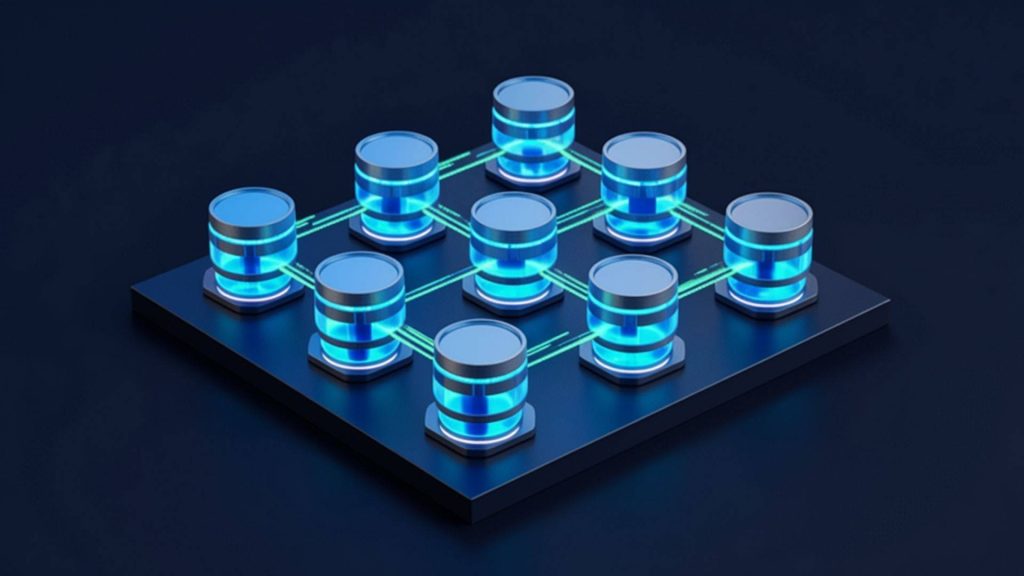
Store your data on S3 Object Storage infrastructure that is secure, scalable, and highly available. The MAV Cloud S3 Storage service delivers an Amazon S3-compatible, enterprise-grade object storage solution for applications, backup systems, media files, logs, and large data archives.
- Equinix Istanbul data center
- VMware-based infrastructure
- Veeam-based backup
- 99.9% availability target
- 15-min critical response target
- ISO 27001 · 22301 · 9001
Our S3 Object Storage service
Unlike traditional file servers, S3 Object Storage offers unlimited scalability, high durability, and API-based access, making it a perfect fit for the needs of modern applications. Whether you store a few gigabytes or petabytes of data, your infrastructure easily adapts to your growing needs.
MAV Cloud S3 Storage is fully compatible with the Amazon S3 API, so you can easily integrate it with many popular software and backup solutions without changing your existing applications. It works seamlessly with Veeam Backup, Commvault, Veritas, Nakivo, Proxmox Backup Server, MinIO, Kubernetes, Docker, and many other modern applications.
Your data is protected by advanced access control, encryption technologies, and a redundant storage architecture. As needed, you can take your data security to the highest level with advanced features such as Versioning, Object Lock (Immutable Storage), Lifecycle Policies, and bucket-level access management.
Our S3 Storage service provides a high-performance, cost-effective storage solution for backup infrastructures, enterprise applications, media archives, log management, software development projects, and cloud-based applications.
Get a custom quote
Tell us what you need, and our expert team will get back to you as soon as possible.
- Phone+90 532 054 49 14
- Emailinfo@mavcloud.com.tr
Why MAV Cloud S3 Storage?
- Infrastructure fully compatible with the Amazon S3 API
- Unlimited, scalable object storage
- High durability and availability
- Secure encryption and access management
- Object Lock (Immutable Storage) support
- Versioning and Lifecycle management
- Full compatibility with Veeam and other backup software
- High-performance enterprise storage infrastructure
- Flexible capacity and usage-based growth
- 24/7 expert technical support
S3 Storage Use Cases
- Backup Repository (Veeam, Commvault, Nakivo, etc.)
- Immutable Backup
- Big Data storage
- Media and video archiving
- File storage for web applications
- Log and archive management
- Kubernetes and container applications
- Software development and DevOps projects
- Building a Data Lake
- Disaster Recovery storage
What is S3 storage? Object vs. block vs. file storage
S3-compatible storage is a storage model in which data is kept not in a folder hierarchy but as objects inside containers called buckets, each with a unique key and its own metadata. Access happens through API calls over HTTPS rather than file shares or mounted disks. This design makes it easy to grow to very large volumes and very high file counts without losing performance.
| Feature | Block storage | File storage | Object storage |
|---|---|---|---|
| Access method | Attached to the server as a disk | Network share (SMB/NFS) | API (S3 protocol) |
| Typical use | Databases, operating system disks | Shared folders, departmental files | Backup repository, archive, media, logs |
| Scaling | Limited by disk size | Limited by file server capacity | Flexible growth per bucket |
| Immutability | Requires an add-on solution | Requires an add-on solution | Built in with Object Lock |
Because every object carries its own metadata, searching and classifying archives with millions of files becomes much easier. Web applications can write user uploads, images and documents straight to buckets, so there is no need to keep expanding the application server’s disk. Backup software can use S3-compatible storage both as the primary backup repository and as the target for a secondary copy.
Object storage is not a good fit for frequently changing database files; its strength is data that is written once and read many times, or retained for long periods.
Service assurance: Support requests for S3-compatible storage are handled by the priority levels in the service level agreement; for critical situations where access is fully down, the first-response target is 15 minutes. Stored data is protected under an ISO/IEC 27001 certified information security management system (see our certifications).
Common mistakes when using object storage as a backup repository
- Planning to enable Object Lock later: in most configurations, immutability is defined when the bucket is created; adding it afterwards may require a new bucket and reconfiguration.
- Using a single access key everywhere: backup software, applications and administrators should each have separate access keys scoped to the least privilege they need.
- Setting retention independently of the backup policy: the Object Lock period must align with the retention rules in the backup software; otherwise capacity fills up faster than expected.
- Not testing restores: having a backup in a bucket does not mean it can be restored; run restore tests regularly.
- Relying on a single copy: object storage should be positioned as one of the copies in the 3-2-1 rule.
How immutable backups work against ransomware is explained in our what is immutable backup guide; setting up and monitoring the backup policy can be handled as part of our Backup Management service.
Criteria that define the scope of S3-compatible storage
Object storage requirements are not measured by today’s data volume alone; how data will be written and read, and how long it will be retained, also shape the scope. Planning answers the following questions:
- Initial volume and growth rate: the amount of data to be migrated initially and the monthly growth trend.
- Retention and versioning: how many versions to keep and when older versions are deleted; capacity grows faster in buckets with versioning enabled.
- Object Lock period: which data requires immutable retention, and for how many days.
- Access profile: whether data is read frequently or is largely archival.
- Connection method: encrypted access over the internet, or a VPN or private connection.
- User and key management: how many applications and teams will access the storage with separate permissions.
| Storage | Monthly starting price | Most projects |
|---|---|---|
| S3-compatible object storage (per TB) | From 15 USD | 15 – 25 USD / TB |
Prices exclude VAT. The final price depends on capacity, data traffic, object lock (immutable) needs and retention period and is set in the quote. Data stays in the Equinix Istanbul data center, inside Turkey. The capacity needed for camera recordings can be estimated with the CCTV storage calculator.
With properly defined lifecycle rules, expired objects are cleaned up automatically and capacity stays under control in line with your data policy.
Data location: your S3 data stays in Turkey
In MAV Cloud S3 Object Storage, buckets and the objects in them are kept in the Equinix data center in Istanbul; data is not transferred abroad. With global cloud providers, a bucket’s location depends on the region chosen when it is created, and most of those regions are outside Turkey. Picking the wrong region can mean backups containing personal data leave the country without anyone noticing.
When backups and application data include customer, employee or patient information, the cross-border transfer rules of KVKK, Turkey’s Personal Data Protection Law (Law No. 6698, Article 9), apply: a transfer must rely on an adequacy decision, appropriate safeguards such as standard contracts, or one of a limited set of exceptions. Keeping data in Turkey at the infrastructure level means no cross-border transfer for storage; access or copying from abroad still has to be assessed separately. Other obligations such as privacy notices, retention periods and security measures still apply.
A Turkish location also gives backup traffic from servers and offices in Istanbul a shorter network path than a region abroad. For your other servers, see server hosting in Turkey; for security camera footage, we also offer CCTV Cloud.
Who is S3 Object Storage for?
- Backup repository for Veeam and similar software
- Long-term archiving and retention needs
- Application files, images, and media content
- Immutable backup storage against ransomware
Frequently asked questions about S3 Object Storage
What does S3-compatible storage mean?
Compatibility with the Amazon S3 API means that backup and application software that supports S3 can use our storage directly.
Is my data stored in Türkiye?
Yes, our storage infrastructure is hosted in Türkiye. This offers advantages in terms of low latency and local regulatory requirements.
Is immutable storage supported?
With Object Lock support, you can create backups that cannot be deleted or modified for the retention period you define.
How do existing applications connect to S3-compatible storage?
The S3 endpoint, bucket name and access keys are configured in the application or backup software. No additional middleware is needed for software that supports the S3 protocol.
Can object storage replace a file server?
Not in every case. A file server is better suited to files that users work on daily in shared folders; object storage is preferred for backups, archives, media and application data.
Can access permissions be separated per bucket?
Yes. Permissions can be separated by creating a dedicated bucket for each application or team, with keys that can access only that bucket.
Can I keep data covered by KVKK in S3 Object Storage?
Your data is stored on our infrastructure in Turkey, with no cross-border transfer for storage. Access or copying from abroad should be assessed separately. Technical measures such as Object Lock are configured according to your own data policy; we recommend checking the legal side with your legal counsel.
Our other cloud solutions
 Cloud Server RentalGet the processing power, RAM and storage your business needs without the high cost of hardware. MAV Cloud Server Rental delivers high…Learn more
 Dedicated Server RentalChoose our Dedicated Server Rental service for high performance, maximum security and hardware resources that are entirely yours. MAV Cloud provides CPU, RAM and…Learn more
 Colocation / Rack RentalColocation in Istanbul: host your own servers in a secure, high-performance Equinix data center with redundant power and 24/7 monitoring. Get a quote.Learn more
 GPU ServerIf your AI, machine learning, deep learning and high-performance computing projects need powerful GPU infrastructure, MAV Cloud GPU Server Rental…Learn more
 CCTV CloudWith our CCTV Cloud service, store your security camera recordings on secure cloud infrastructure without depending on physical recording devices. MAV Cloud, camera…Learn more
 Cloud Migration ServicesCloud migration services in Turkey: move physical servers, virtual machines and data to the cloud securely, with careful planning and minimal downtime.Learn more