

Backup Management
Backup is more than just copying data. What really matters is being able to restore your data completely and quickly the moment you need it. With MAV Cloud Backup Management, your backup infrastructure is managed end to end by our expert engineers.
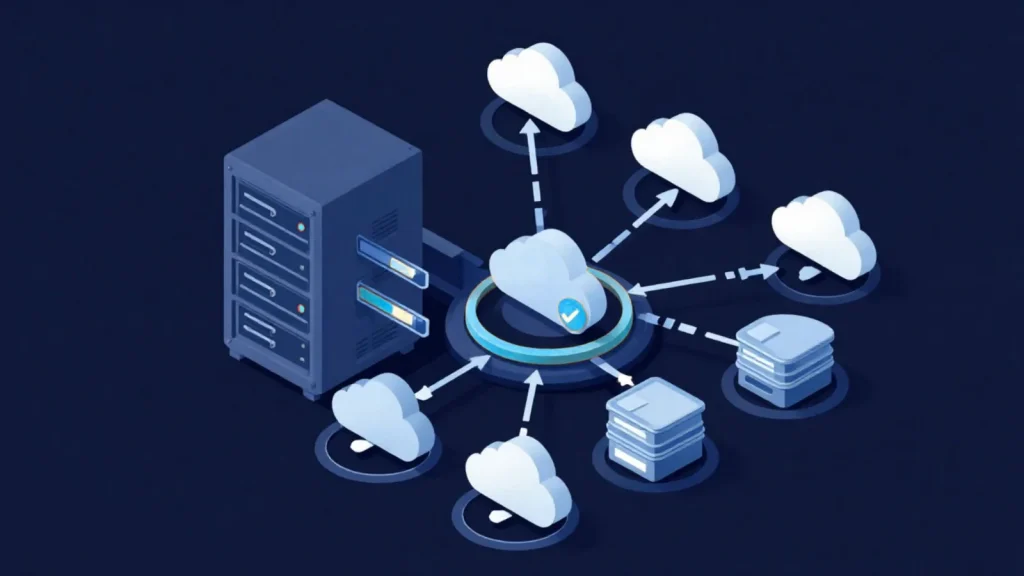
- Equinix Istanbul data center
- VMware-based infrastructure
- Veeam-based backup
- 99.9% availability target
- 15-min critical response target
- ISO 27001 · 22301 · 9001
Our Backup Management service
We manage Veeam Backup & Replication, Veeam CDP, Microsoft 365 Backup, Immutable Backup, S3 Object Storage and disaster recovery solutions from a single point; we build backup policies, perform daily checks and run regular recovery tests.
Backup failures, capacity issues, license status and system health are monitored continuously, and regular reporting keeps the security of your infrastructure under constant control.
RPO and RTO targets are defined around your business needs, and disaster scenarios are planned and tested regularly. The result is a data protection infrastructure that doesn’t just take backups, but is proven to work when it counts.
Get a custom quote
Tell us what you need, and our expert team will get back to you as soon as possible.
- Phone+90 532 054 49 14
- Emailinfo@mavcloud.com.tr
Why MAV Cloud Backup Management?
- Veeam Backup & Replication expertise
- Veeam Continuous Data Protection (CDP)
- Microsoft 365 Backup management
- Immutable Backup management
- S3 Object Storage integration
- Daily backup checks
- Regular restore tests
- Disaster recovery planning
- RPO and RTO optimization
- 24/7 expert technical support
What does a managed backup service check?
Backup management takes over the day-to-day operation of your existing backup infrastructure: instead of buying new storage, it regularly proves that existing backup jobs are running properly, that retention rules are being followed and that recovery is actually possible. The checklist expands with the size of the environment; the core areas are:
- Job health: backup jobs that fail, finish with warnings or run longer than expected, skipped virtual machines, and new servers left out of scope.
- Repository status: the capacity trend of the backup repository, the integrity of the retention chain, and whether old restore points are purged as planned.
- Copy rule: keeping at least one copy of the backup in a different location and, where possible, in immutable form.
- Access and identity: accounts with access to the backup console, the permissions of service accounts and secure storage of encryption keys.
- Reporting: success rates, restore test results and open action items, reported in a form that can be presented to management and auditors.
To protect backups against ransomware, the immutable retention model described in our what is immutable backup guide is verified regularly as part of the management scope.
Backup management vs. cloud backup
The two services are often confused, but they answer different questions. Cloud backup solves where the data is copied to; backup management defines who runs the backup process and with what discipline.
| Criterion | Backup management | Cloud backup |
|---|---|---|
| Focus | Operating the existing backup infrastructure | Copying data to the data center |
| Infrastructure | The organization’s own software and repository, or a hybrid setup | MAV Cloud’s storage infrastructure hosted in Türkiye |
| Core output | Job health checks, restore tests, reports | Off-site backup copy and retention |
| Using both together | Common scenario: local backups are managed, and an off-site copy is sent to the cloud. | |
For an off-site copy, our Cloud Backup service can be combined with managed backup under the same contract.
Common mistakes in backup management
- Treating a successful job as a usable backup: a green job status does not show that the application will come back up consistently from that backup.
- Forgetting to add new servers to the scope: when systems deployed later are not included in the backup plan, the gap is only noticed after data is lost.
- Keeping backups and production on the same identity infrastructure: a compromised admin account can reach both the servers and the backups.
- Leaving alerts without an owner: if nobody is responsible for following up on error notifications that land in email, the alerting system loses its purpose.
- Not putting RPO and RTO targets in writing: without defining how much data loss and downtime each system can tolerate, backup frequency and retention cannot be set correctly.
- Not planning the recovery order: in a large-scale incident, recovery takes longer if it has not been decided in advance which server comes back first.
Most of these mistakes are about process, not technology. In a managed service, every check has an owner, a frequency and a place in the report; backup stops being software you install and forget and becomes a regularly audited operation. For broader scenarios, our how to create a disaster recovery plan guide can be used alongside backup management.
Who is Backup Management for?
- Businesses where no one is tracking backup jobs
- Teams that want to be sure their backups can really be restored
- Organizations with a Veeam or similar software license
- Companies that must provide proof of backups during audits
Backup Management FAQ
Why do I need backup management?
Backup jobs can fail silently, and this often goes unnoticed until data is lost. Daily checks and regular restore tests ensure your backups are truly usable.
How often are restore tests performed?
Test frequency is set according to how critical your systems are; sample restores are carried out at regular intervals and reported.
Can I keep using my existing backup software?
Yes. We can manage your environment through your existing software or set up a new solution based on your needs.
Is backup management the same service as cloud backup?
No. Cloud backup means copying your data to the data center; backup management means monitoring the jobs in your existing backup infrastructure, running restore tests and reporting on them. The two services can also be used together.
Can backup reports be used as evidence in audits?
Yes. Job success rates, restore test results and open action items are documented in periodic reports; these reports can be presented in internal and external audits as evidence of backup controls.
What happens when a backup job fails?
The cause of the failure is investigated, the job is rerun and, if there is a persistent issue, the configuration is corrected. Recurring failures are flagged separately in the report, and an action plan for a permanent fix is shared.
Other managed services
 24/7 System MonitoringReacting only when something breaks is not enough to keep your IT infrastructure running without interruption. MAV Cloud's 24/7 System Monitoring Service monitors your…Learn more
 VMware ManagementYour virtualization infrastructure is the heart of your business. With the MAV Cloud VMware Management service, we manage your VMware vSphere, ESXi and vCenter…Learn more
 Windows Server ManagementThe security, performance and continuity of your Windows Server infrastructure require expert management. With the MAV Cloud Windows Server Management service, from Active Directory…Learn more
 Linux ManagementKeeping your Linux servers secure, stable and high-performing requires expert system administrators. With MAV Cloud Linux Management, Ubuntu,…Learn more