

24/7 Server and System Monitoring
Reacting only when a problem occurs is not enough to keep your IT infrastructure running without interruption. The MAV Cloud 24/7 System Monitoring Service tracks your servers, virtual infrastructure, network devices and critical services around the clock, detecting potential issues before your users notice them.
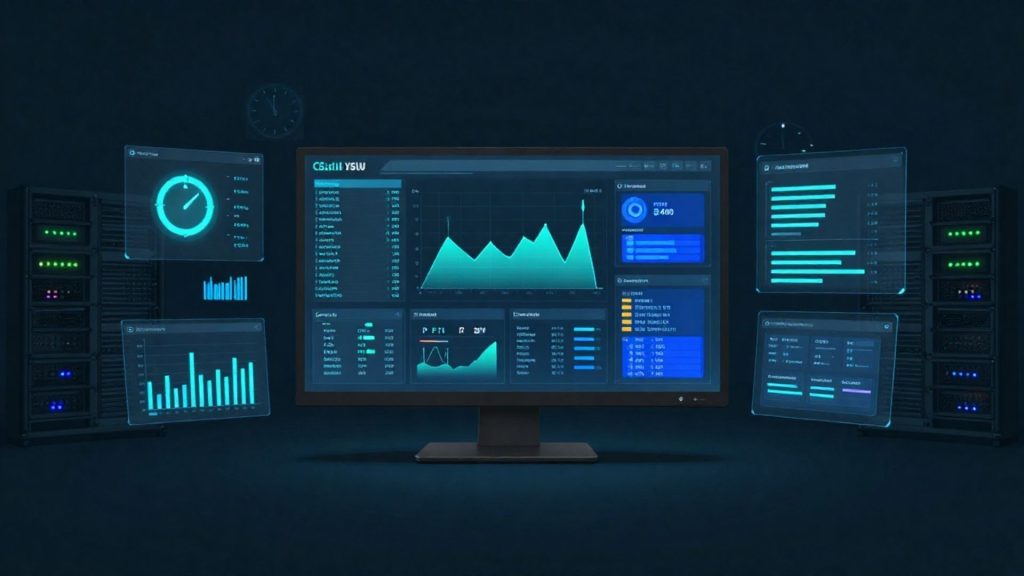
- Equinix Istanbul data center
- VMware-based infrastructure
- Veeam-based backup
- 99.9% availability target
- 15-min critical response target
- ISO 27001 · 22301 · 9001
Our 24/7 System Monitoring service
Our professional monitoring infrastructure continuously analyzes CPU, RAM and disk usage, network traffic, storage capacity, service status, virtual machine performance, hardware health data and application services. When critical thresholds are exceeded, the system automatically raises an alert and our expert team takes action quickly.
VMware vSphere, Hyper-V, Windows Server, Linux, Fortinet firewalls, switch infrastructure, storage systems and physical servers can all be monitored centrally from a single dashboard. This delivers proactive management across your entire infrastructure while keeping unplanned downtime to a minimum.
With regular performance reports, capacity analyses and system health checks, we don’t just solve current issues; we also identify performance problems before they arise.
Get a custom quote
Tell us what you need, and our expert team will get back to you as soon as possible.
- Phone+90 532 054 49 14
- Emailinfo@mavcloud.com.tr
Why MAV Cloud 24/7 System Monitoring?
- 24/7 real-time infrastructure monitoring
- Proactive alert and incident management
- Centralized monitoring of servers, storage and network devices
- VMware, Windows and Linux support
- Performance and capacity analysis
- Instant notifications and rapid response
- A proactive approach that reduces downtime
- Continuous oversight by expert system engineers
Which metrics does a server monitoring service track?
Unlike the battery or CPU gauge in a phone app, a server monitoring service observes your entire enterprise infrastructure from a central point. Rather than looking at servers one by one, a 24/7 system monitoring service treats the infrastructure in layers. What to monitor in each layer, and at what value an alert is raised, is agreed together during onboarding:
| Layer | Example metrics | Typical alert condition |
|---|---|---|
| Hardware | Power supply, fans, temperature, RAID and disk health | Failed disk, a redundant component left without its pair |
| Operating system | CPU, memory, disk usage, disk latency | Sustained high usage, disk filling up |
| Virtualization | Host resources, datastore usage, snapshot age | Forgotten snapshot, datastore capacity limit |
| Network and security | Link status, bandwidth, VPN tunnels | Line outage, tunnel down |
| Services and applications | Windows services, web response time, SSL certificate expiry | Service stopped, certificate expired |
Backup job results can also be brought into scope; a failed backup is treated as an alert instead of being noticed the next morning. Trends are tracked alongside real-time values: disk usage that grows a little every week or memory usage that creeps up slowly is reported as input for capacity planning before any threshold is crossed. This way, monitoring does not just react to failures; it also helps anticipate hardware and resource needs.
Service assurance: Alert urgency maps to the priority levels in the service level agreement: first-response targets of 15 minutes for critical situations where the service is fully down, 1 hour for serious performance degradation, 4 hours for partial impact and 1 business day for information requests. Monitoring and incident management processes align with MAV Cloud’s ISO/IEC 20000 certified IT service management system (see our certifications).
Alert management: rules that separate monitoring from noise
A monitoring system that sends a notification for every threshold breach is soon ignored. The value of a server monitoring service comes from alerts that are meaningful and prioritized:
- Duration-based thresholds: breaches that persist for a set period become alerts, not momentary spikes.
- Severity levels: alerts are classified as critical, high, medium and low; first-response targets for each level are defined under the SLA.
- Maintenance windows: related alerts are suppressed during planned updates and reboots.
- Response procedure: which alerts get direct intervention and which require notifying your organization’s contact first is agreed in writing.
- Grouping related alerts: when a network device goes down, separate alerts are not raised for the dozens of servers behind it; the root cause is handled as a single incident.
- Periodic review: thresholds for alerts that fire often but need no action are recalibrated on a regular basis.
Each alert record is stored with the time it occurred, the action taken and closure details. In periodic reports, these records are used to find permanent fixes for recurring issues.
When is a 24/7 system monitoring service the right choice?
An IT team that works business hours can only act on a disk that fills up at midnight or a service that stops over the weekend on the next business day. Outsourced monitoring closes that gap. Monitoring is planned as a first step especially for businesses that run around the clock, such as shift-based manufacturing, e-commerce and call centers, for environments spread across multiple locations, and when infrastructure moves to a managed services model. Monitoring and security event tracking are different things; for log-based threat analysis, see our what is SIEM guide.
Who is 24/7 System Monitoring for?
- Businesses without their own 24/7 IT team
- Systems that must run without interruption, including nights and weekends
- Teams that want early warning of issues such as full disks or stopped services
- Managers who need performance and capacity reports
Frequently asked questions about 24/7 System Monitoring
Which components are monitored?
Server resources (CPU, RAM, disk), services, network connections, backup jobs and critical applications can be monitored. The monitoring scope is tailored to your needs.
What happens when an issue is detected?
The alert is sent to our team, which responds according to a predefined procedure and contacts you.
Can I receive regular reports?
Yes. We share periodic reports showing resource usage, outages and capacity trends.
What is the difference between server monitoring and a SOC service?
Server monitoring tracks availability and performance signals such as resource usage, service status and hardware health. A SOC analyzes security events and potential attacks; the two services complement each other.
Do servers need an agent installed for monitoring?
It depends on the component. Servers usually use a lightweight monitoring agent; network devices, storage systems and virtualization platforms are mostly monitored agentlessly over standard management protocols.
Other managed services
 VMware ManagementYour virtualization infrastructure is the heart of your business. With the MAV Cloud VMware Management service, we manage your VMware vSphere, ESXi and vCenter…Learn more
 Windows Server ManagementThe security, performance and continuity of your Windows Server infrastructure require expert management. With the MAV Cloud Windows Server Management service, from Active Directory…Learn more
 Linux ManagementKeeping your Linux servers secure, stable and high-performing requires expert system administrators. With MAV Cloud Linux Management, Ubuntu,…Learn more
 Backup ManagementBackup is more than just copying data. What really matters is being able to restore your data completely and quickly the moment you need…Learn more