

Data Replication
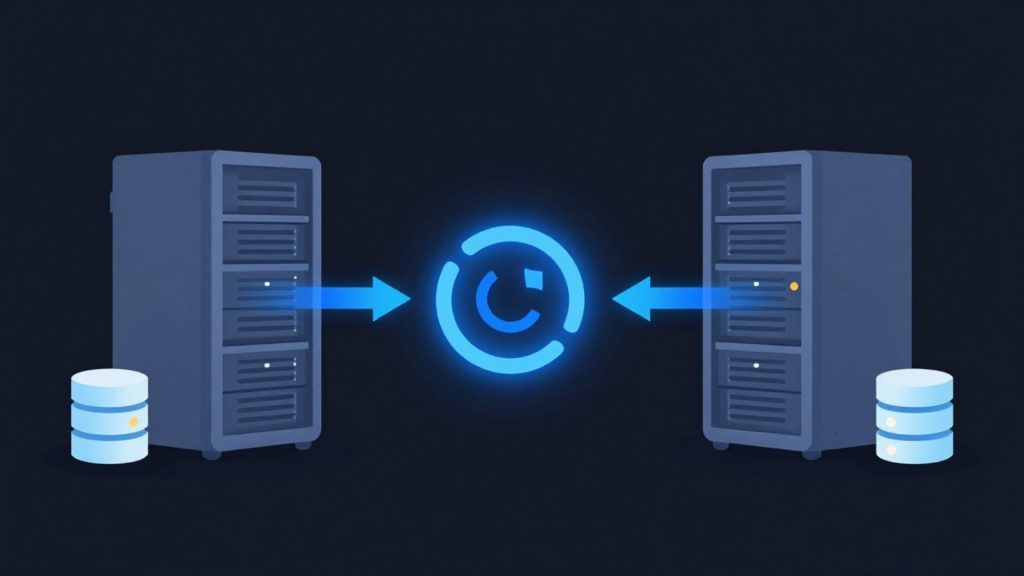
Backups alone are not enough for business continuity. When hardware failures, data center outages or cyberattacks affect critical systems, those systems need to be running again as quickly as possible. The MAV Cloud Data Replication service continuously copies your servers to a secondary location to keep your business running without interruption.
- Equinix Istanbul data center
- VMware-based infrastructure
- Veeam-based backup
- 99.9% availability target
- 15-min critical response target
- ISO 27001 · 22301 · 9001
Our Data Replication service
With Veeam Replication and Veeam Continuous Data Protection (CDP) technologies in our infrastructure, your virtual machines are replicated to our secondary data center either continuously or at set intervals, depending on the scenario you choose. In the event of an outage, your systems can be brought online within minutes with minimal data loss.
We offer professional replication solutions for VMware vSphere, Microsoft Hyper-V and physical server environments. Your ERP applications, SQL Server databases, Active Directory, file servers and critical business applications stay continuously protected.
Our expert team monitors replication 24/7, performs regular health checks and detects potential issues before they occur. Scheduled failover and failback tests also verify that your systems are always ready to run.
Get a custom quote
Tell us what you need, and our expert team will get back to you as soon as possible.
- Phone+90 532 054 49 14
- Emailinfo@mavcloud.com.tr
Why MAV Cloud Data Replication?
Cloud Backup protects you against data loss, while Data Replication keeps your systems running. Used together, they form the strongest solution for enterprise business continuity.
- Veeam Replication infrastructure
- Veeam Continuous Data Protection (CDP)
- Real-time virtual machine replication
- VMware and Hyper-V support
- Physical server replication
- SQL Server and critical application replication
- Low RPO and RTO
- Automated failover / failback support
- Secure infrastructure in a secondary data center
- 24/7 monitoring and expert technical support
Data replication vs. backup
Replication and backup both copy the same data, but they answer different questions. Backup answers “Can we go back to a point in the past?” while replication answers “Can the system run somewhere else right away?” A replica is a ready-to-boot copy of a virtual machine; a backup is a compressed chain of files that has to be restored.
| Criterion | Backup | Replication |
|---|---|---|
| Primary purpose | Protect data long term, with many versions | Run the system quickly at another location |
| Form of the copy | Compressed backup files | A virtual machine ready to run |
| Previous versions | Long retention, many restore points | A limited number of restore points |
| Logical errors and ransomware | Roll back to a clean older version | The error can carry over to the replica |
The last row shows why replication alone is not enough; in enterprise environments, replication is used together with cloud backup.
Synchronous vs. asynchronous replication
Replication falls into two types depending on when data is written to the second location:
- Synchronous replication: a write is acknowledged only after it completes at both the primary and the secondary site. Data loss drops to nearly zero; in exchange, the latency between sites is added directly to every write the application makes. It usually requires data centers that are close to each other and high-capacity links.
- Asynchronous replication: a write is acknowledged at the primary site, and changes are transferred to the secondary site with a short delay. Application performance is not affected; during an outage, the small window of data between the last transfer and the incident is at risk.
Veeam CDP (continuous data protection) works asynchronously but transfers changes continuously, offering a middle ground between classic interval-based replication and synchronous replication. Which method to use is decided per project, based on how much data loss and latency the application can tolerate.
For replication to work, transferring the data is not enough; the replica also has to be usable when it is powered on. That means planning the boot order of virtual machines, re-IP addressing if they will run on a different network, and replicating dependent services (authentication, database, application tier) together. Veeam can group interdependent virtual machines in the same replication job to create a consistent restore point. Link capacity is also part of the design: a database server with a high change rate will cause the replica to fall behind if transfers are delayed. Replication job lag and failed transfers are tracked through 24/7 system monitoring.
Criteria that define the scope of data replication
- Number of virtual machines and disk volume to replicate.
- Change rate: the amount of data written daily determines link and storage requirements.
- Method: interval-based replication or continuous data protection (CDP).
- Number of restore points: the intermediate points kept on the replica.
- Network design: how IP addressing and user access will work after failover.
- Source environment: VMware vSphere, Hyper-V or a physical server; the replication method is designed differently for each.
- Testing needs: the scope and frequency of replica tests in an isolated environment.
Once these criteria are clear, the method, interval and number of restore points for each virtual machine are captured in a single table, and the replication plan is rolled out based on that table.
When replication is combined with planned failover, testing and runbook processes into a complete business continuity service, it becomes our Disaster Recovery (DRaaS) service.
Who is Data Replication for?
- Organizations that cannot tolerate downtime on critical virtual servers
- Organizations that have or are building a disaster recovery plan
- Businesses operating across multiple locations
- Teams that want to shorten recovery time from backup
Frequently asked questions about Data Replication
Are replication and backup the same thing?
No. Backup takes copies of data at set intervals; replication keeps an up-to-date copy of the virtual server ready at a secondary location. During an outage, this copy can be brought online quickly.
How often is the replica updated?
The update interval is set based on how critical your workload is; frequent replication can be scheduled for critical systems.
Can I test the replica?
Yes. The replica can be started and tested in an isolated environment without affecting your production system.
Is synchronous replication necessary for every system?
No. Because synchronous replication increases write latency, it is only used for systems with zero tolerance for data loss; for most workloads, asynchronous replication or CDP is sufficient.
If ransomware hits, is the replica affected too?
Encrypted data can be carried over to the replica. This risk is addressed with older restore points on the replica and backups kept separately.
Related guides
Our other Backup & Disaster Recovery services
 Cloud BackupYour corporate data is one of your business's most valuable assets. Hardware failures, user errors, cyberattacks, ransomware, or natural disasters…Learn more
 Immutable BackupIn recent years, backup systems have become attackers' first target in ransomware attacks. When backups are deleted or encrypted, businesses lose much of their…Learn more
 Microsoft 365 BackupAlthough Microsoft 365 offers high availability, Microsoft is not responsible for the long-term backup of your data. Accidentally deleted emails,…Learn more
 Disaster Recovery (DRaaS)Backups alone are not always enough for business continuity. If your critical systems stay down for hours, you can suffer serious financial losses. MAV…Learn more